
Don’t Make These Mistakes During Your Scheduled Printer Copier Repair!
If you run a business, you already know how much you depend on your copier and printer every single day. From printing contracts to scanning important documents, printer copiers keep your office moving. But what happens when they stop working?
Most people panic. Some try to fix it themselves without really knowing what they’re doing. Others call someone right away without trying even the basics first. Neither extreme is ideal. This guide is going to walk you through everything you need to know about copier repair the right way.
Whether you’re dealing with a paper jam, a strange noise, or a copier that simply won’t turn on, these tips will help you handle the situation smartly, safely, and without making things worse. When basic troubleshooting doesn’t work, forcing a fix can cause more damage. Our printer repair experts in Las Vegas handle everything from paper feed mechanisms to fuser assemblies with same-day turnaround.
First Things First. Don’t Panic
When your copier or printer crashes in the middle of an important job, the first instinct is to do something immediately. That panic is real, but trying fixes or DIY repairs without thinking can turn a small problem into an expensive one.
According to industry data, printer and copier downtime costs businesses an average of $12,000 to $17,000 per hour in lost productivity. Most printer and copier issues are common, and many of them can be fixed with a few simple checks before you even think about calling a technician.
Start With the Quick Checks
Before anything else, make sure your copier is properly plugged in. This sounds almost too simple to mention, but you would be surprised how often a printer stops working simply because a power cable got knocked loose under a desk. Someone moving furniture, cleaning around the setup, or even accidentally bumping into it can disconnect the cable without anyone noticing.
Check both ends of the power cable. The one going into the wall and the one going into the machine. Also, check the USB or network cable if your printer is connected to a computer or router. A loose connection there can make it look like the machine is completely broken when it is just disconnected.
Once you have confirmed everything is properly connected, try turning the HP copier on again. If it works, great. If not, move on to the next steps.
How to Properly Shut Down a Copier Not Working?
Here is something most people get wrong during printer copier repairs. When a device does not turn on, the natural reaction is to yank the power cord out of the wall. Please don’t do that.
Printers and copiers have internal hard drives and memory, just like your computer. A sudden, forced shutdown can corrupt important data stored inside the device. Over time, this kind of treatment can cause serious damage that is far more expensive to fix than the original problem.
Instead, always use the power button to shut the machine down properly. Give it time to go through its shutdown process. Once the machine has fully powered off on its own, then you can unplug it from the wall if needed. Office copiers have much more complex internal mechanisms than desktop printers. Our copier repair service in Las Vegas covers Canon, Ricoh, Xerox, HP, and all major brands with on-site service available.
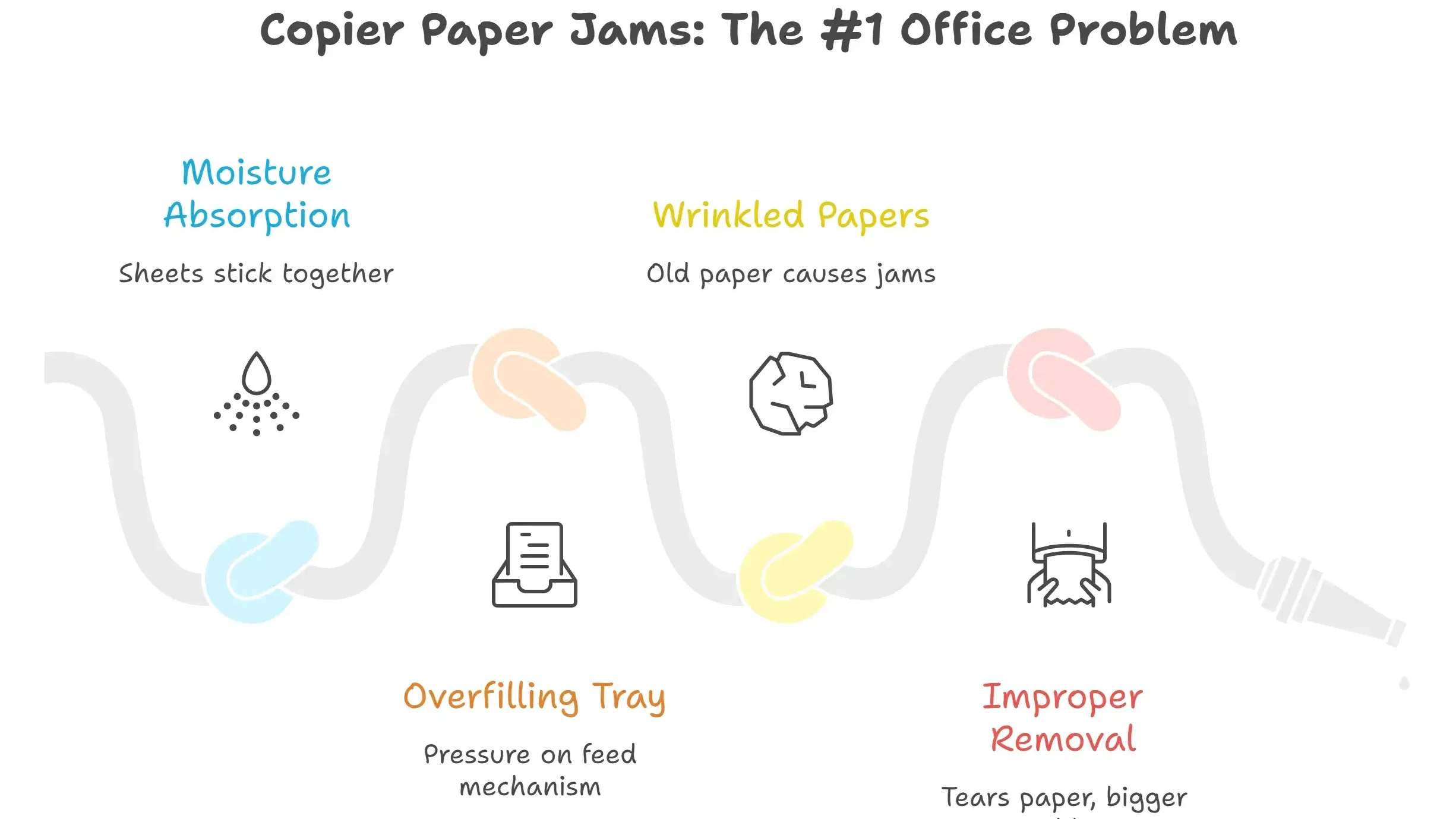
Paper Jams are #1 Problem in Every Office Copier
Ask anyone who works in an office what their biggest printer frustration is, and nine times out of ten, they will say paper jams. They always seem to happen at the worst possible time, right when you’re in a hurry. Paper jams happen, and here’s how to prevent them.
1. Paper Absorbs Moisture
Paper absorbs moisture from the air. When a stack of paper sits in a tray for too long, especially in a humid environment, the sheets start to stick together slightly. When the printer tries to pull one sheet, it grabs two or three, and that causes a jam.
2. Avoid Overfilling
Overfilling the paper tray is a very common mistake. Every printer and copier has a maximum capacity marked inside the tray. Filling it beyond that limit puts extra pressure on the paper feed mechanism and causes jams regularly.
3. Throw Away Wrinkled Papers
Using old or wrinkled paper is another major cause. If your copier sits unused for a week or more, take out the old paper and replace it with a fresh stack before you start printing again.
When a jam does happen, resist the urge to grab the paper with your hands or use tools like tweezers to pull it out. If the paper tears while it is still inside the printer, you now have a much bigger problem. Always follow the instructions in your printer’s manual for clearing jams. Most modern printers 2026 show you on their screen exactly where the jam is and how to remove it step by step.
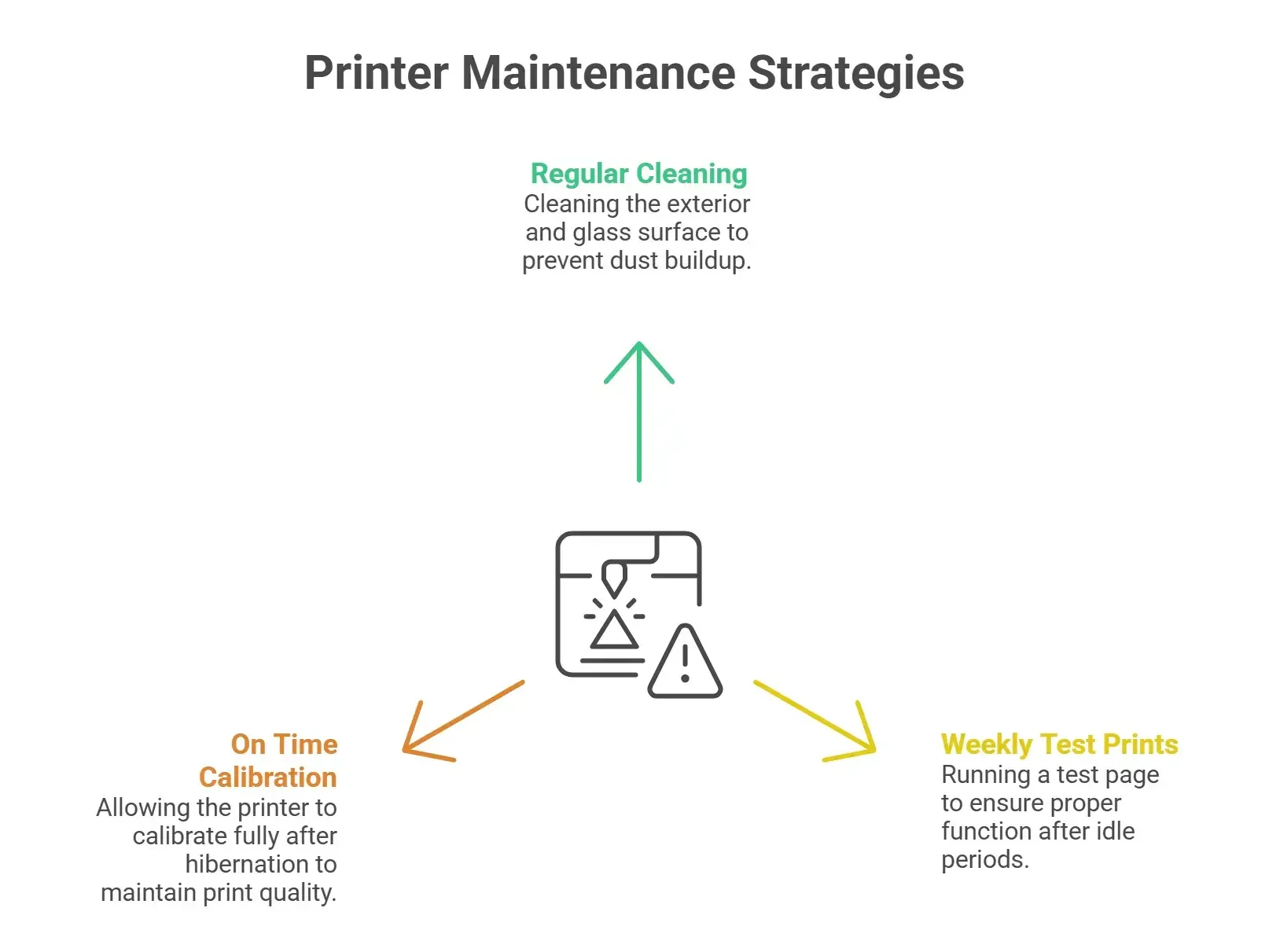
Basic Printer Copier Maintenance Tips to Follow
Paper jams alone account for nearly 70% of all office printer problems reported each year. One of the best things you can do for your printers is scheduled printer copier maintenance. Whether you are handling your own printer repair needs or just trying to prevent problems. Keep up with basic daily and weekly printer maintenance.
Regular Copier Cleaning
Clean the outside of the copier regularly. Dust builds up fast, especially around the paper trays and vents. Use a soft, dry cloth to wipe down the exterior. If your printer came with its own cleaning cloth, use that one, especially on the glass scanner surface, which scratches easily.
Weekly Copier Test Prints
Run a test print at the start of each week. If your Dell copier has been sitting idle over the weekend or a holiday. Running a quick test page before you start printing important documents is a smart habit. It helps the printer warm up properly and lets you handle any issues before they become drastic.
On Time Calibration
Calibrate after hibernation. If your new copier model has been in sleep or hibernation mode for a while, let it calibrate fully before you start using it. Do not press buttons or try to rush it through this process. Interrupting calibration can cause print quality problems.
What You Should Never Try to Fix Yourself?
While there are things you can safely handle on your own, there are others that should only be touched by a trained professional. If you open up a machine and start poking around inside without knowing what you are doing, you risk electric shock. Even if the printer is unplugged, electrical current can remain stored inside certain components. This is not a situation to experiment with.
If your machine is making grinding noises, producing error codes you don’t understand, or has stopped working entirely with no clear reason, it is time to call someone who specializes in printer copier repair.
The same way you would search for a computer repair near me or visit a laptop fixing shop for your personal devices, your office equipment deserves that same professional help. Trying to save money by guessing your way through a complex repair almost always ends up costing more in the long run.
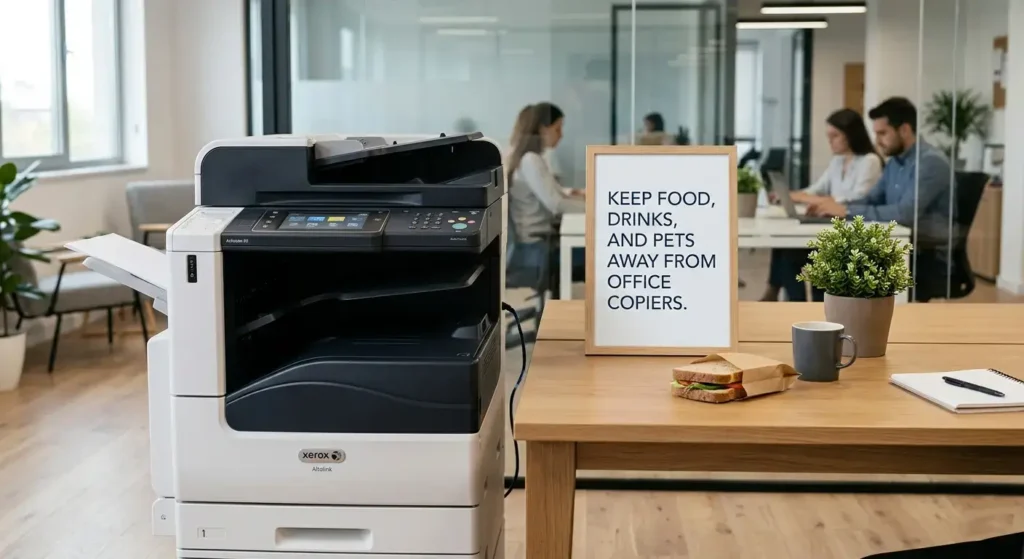
Keep Food, Drinks, and Pets Away From Office Copiers
Offices are busy places, and people eat and drink at their desks all the time. But copiers and printers are very sensitive to liquids and crumbs. A spilled coffee or a dropped snack near a machine can cause serious internal damage. Set a clear rule in your office. No food or drinks near the printers or copiers. Post a small sign if you need to.
If your office has pets, animal hair is another hidden danger. Pet hair floats through the air and gets pulled into machines through vents. Over time, it builds up inside and causes overheating or paper feed problems. Clean your machines more frequently if there are animals in the workspace.
Plan Regular Professional Maintenance
Even if your machines seem to be running perfectly, scheduling routine service checks is one of the smartest things you can do. Most manufacturers recommend regular professional maintenance regardless of whether you own the machine or are leasing it.
A trained technician can spot small issues before they become expensive problems. They clean internal components that you cannot reach safely, check wear on key parts, and make sure everything is calibrated correctly.
If you are located in Nevada, finding a reliable service provider for copier repair Las Vegas businesses can count on is worth the time it takes to research. Look for a company with strong reviews, certified technicians, and experience with your specific brand of equipment.
The same goes for businesses in other cities. Whether you need printer copier repair for a single machine or an entire fleet, working with a professional service on a regular schedule will save you money and frustration over time.
A Few Final Printer Copier Repair Reminders
Taking care of your office machines does not require a lot of time or technical knowledge. Most of what keeps a printer or copier running well comes down to simple habits. Keep it clean, use it correctly, do not overload it, and call a professional when something is clearly beyond a basic fix.
Treat your copier and printer the way you would treat any other important equipment in your office. Give it regular attention, don’t ignore warning signs, and always look for professional printer repair Las Vegas or local service when needed.
Office copiers that are well maintained last longer, perform better, and cost less to own over time. A few minutes of care each week can prevent hours of downtime when you can least afford it.