
Quick Laptop Repair, Mac, PC, Tablet and Printer repair

Expert MacBook Overheating Fix Solutions in Las Vegas

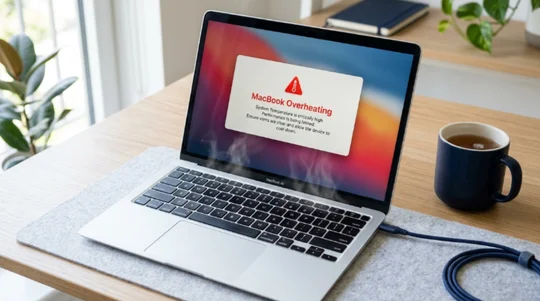
Las Vegas's most trusted shop for a fast, affordable MacBook overheating fix for MacBook Air & MacBook Pro. We diagnose cooling fan failures, logic board failures, heatsink damage, and internal dust accumulation.

Fast, Same Day Service for Every MacBook Model You Own

Once the dust starts accumulating inside the device, your Mac starts to overheat. The dust blocks the heatsink fans, colling fan slows down, then the thermal paste dries out on the logic board, and then your device overheats to protect itself.

At QuickLaptopRepairs, our MacBook overheating fix service covers every MacBook model, every chip generation, and every cooling failure type with zero hidden fees. Whether you bring in a 2018 MacBook Pro overheating under Final Cut Pro renders or a MacBook Air M1 that gets uncomfortably hot during Zoom calls, our certified technicians find out the exact fault and fix it properly.

macbook overheating fix las vegas

How We Help Fix Your MacBook Running Hot?

We don't just blow compressed air at the vents and call it a day. Our Las Vegas Mac repair shop handles heatsink assembly removal, thermal pad inspection, logic board diagnostics, and cooling fan replacement when needed. 

The MacBook 13-inch 2019 (Touch Bar model) and the 16-inch 2019 MacBook Pro usually have dust inside the fans. Over 12 to 18 months of regular use, dust builds up across the heatsink fins and restricts airflow completely. We use compressed air and micro brushes, and inspect the fan blades at the same time.

Fix Your MacBook Running Hot

Precise Mac Repairs According to Your Specific Model

On Intel-based MacBooks, the factory thermal compound dries out after 3 to 5 years. Once the compound loses conductivity between the chip die and heatsink assembly, temperatures can spike from 60°C idle to 95°C+ under light load. We work on every Mac model that has ever shipped with an Intel or Apple Silicon chip:

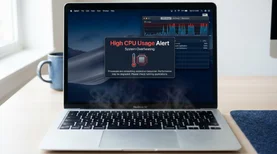
High CPU Usage

High CPU Usage

Apps like Google Chrome, Spotlight indexing after a macOS update, or a stuck Mail sync can push your CPU to 80 to 100% usage without you even noticing. We run Activity Monitor and kernel diagnostics during every MacBook overheating fix appointment to rule out software driven heat spikes before we touch any hardware.
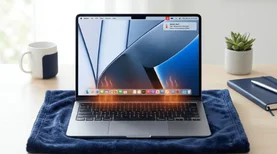
Poor Airflow

Poor Airflow

Once internal dust accumulation builds up across the heatsink fins and fan blades, airflow drops significantly, and temperatures climb fast even at light loads. Our technicians fully disassemble the Mac, clean the heatsink assembly and micro-brushes, and verify that both left and right fans on dual fan models are spinning at the correct RPM before reassembly.

Software Bugs & Outdated macOS

Software Bugs & Outdated macOS

Bugs in older macOS versions, particularly macOS Monterey 12.0 and early builds of Ventura 13, caused kernel_task to spike CPU usage as a thermal protection measure. We check your macOS version, SMC firmware, and installed kernel extensions during diagnostics to confirm whether a software fix is all you need or not.

What Mac Maintenance Tips Do We Recommend After Every Repair?

After your repair, our technicians walk you through how to prevent MacBook from overheating going forward. Keep the bottom ventilation area clear when using the laptop on soft surfaces. Use Activity Monitor to check for runaway background processes; a browser with 40 tabs open will spike CPU usage and heat on any Mac. 

Schedule an internal cleaning at our shop every 12 to 18 months if you use the device heavily. For MacBook Pro owners doing video editing or 3D rendering, an external laptop stand with passive airflow underneath makes a measurable difference in sustained temperatures.

Our 4 Step Process to Fix Overheating MacBook Pro/MacBook Air

Internal dust accumulation is something most MacBook users never think about until the fans run at full speed and the device shuts down midway. At QuickLaptopRepairs, our MacBook overheating fix service goes beyond what any can of compressed air sprayed through a vent grille can achieve.

Free MacBook Overheating Diagnostics

We boot your Mac into diagnostics mode, run Apple Hardware Test (AHT), check SMC behavior, monitor CPU and GPU temperatures with TG Pro and iStatMenus to find out the issue.

Transparent Repair Cost Quote

We quote the exact parts and labor before starting. Cooling fan replacement, heatsink cleaning, or thermal paste reapplication are quoted separately, so you know what you're paying for.

Professional Tools & OEM Parts

P5 pentalobe screwdrivers, ESD-safe mats, precision spudgers, heat guns for adhesive removal, and a digital microscope. We use OEM spec fans and quality thermal compounds.

Full Thermal Test Before Return

We test your Mac for 30 minutes using Cinebench R23 and Prime95 to verify temperatures stay within Apple's operating range. Every repair includes a 90 day service warranty.

Lovely Customers

See what our happy customers say about our Macbook Overheat Fix Service.

My Macbook had serious overheating issue but Quick Laptop Repair fixed it quickly. Great service and fair pricing.

emily Lovely Customer
Sarah M.

Fast and professional repair service. My Macbook is working like new again.

sara Lovely Customer
Emily T.

Excellent customer support and quick turnaround. I highly recommend them for macbook Overheat Fix.

Lovely Customer
James R.

Visit Las Vegas’s Premier Repair Shop for MacBook Overheating Solutions

Whether it's a 2018 MacBook Pro overheating under video renders, a MacBook Air M2 running warm during meetings, or a MacBook Pro 16-inch with a loud failing fan, QuickLaptopRepairs has the tools, the OEM parts, and the certified technicians to fix it right the first time. We handle everything from internal dust accumulation and cooling fan replacement to full heatsink assembly service and logic board diagnostics, all backed by a repair warranty.

People Also Ask About MacBook Overheating Fix Services

Sudden overheating on a MacBook is most commonly caused by internal dust accumulation blocking the heatsink fins, dried-out thermal paste on the logic board, or a failing cooling fan. A macOS update installing in the background or a browser process going rogue can also spike CPU usage temporarily. If it's persistent, bring it in for a free diagnostic.

Yes. Sustained high temperatures above 95°C accelerate solder joint fatigue on the logic board, degrade the battery faster, and can warp heatsink assembly components over time. Computer overheating Mac issues caught early are quick and cheap to fix. 

It depends on the model. For the Intel MacBook Air, the single cooling fan and heatsink need periodic cleaning. For the M1 and M2 Air, which are fanless, check for high CPU usage processes and ensure the device has ventilation clearance. If temperatures remain high after software checks, bring it in for a heatsink inspection and battery swelling check.

Thermal paste replacement starts from a low flat rate. Cooling fan replacement parts plus labor depend on the model. Logic board repair for heat related damage is quoted after diagnostics. We always provide a free quote before starting any work.

Yes. Most MacBook overheating fix repairs, including thermal paste reapplication, compressed air cleaning, and cooling fan replacement on common models, are completed the same day. Logic board repairs and heatsink assembly replacements may take 1 to 2 additional business days, depending on parts availability.

Conversational Form (#6)